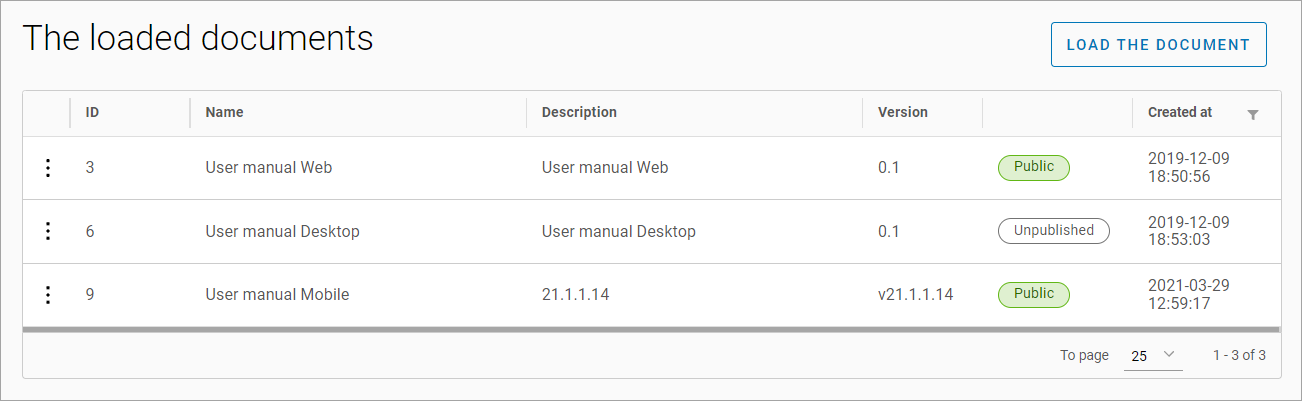
In the Documents > Loaded documents table, you can find a list of documents that are available for download on the client's website.
Document statuses are provided:
-
Public
-
Unpublished
Upload a document
To upload a document, select Load the document. In the opened window, fill in the fields:
-
Name*.
-
Description*.
-
Version*.
-
If public access to the document is required, select the Public checkbox.
-
Attach the document*.
-
Select Load.
*Required fields.
If the document was not attached, a corresponding notification will be displayed on the screen.
View and edit a document
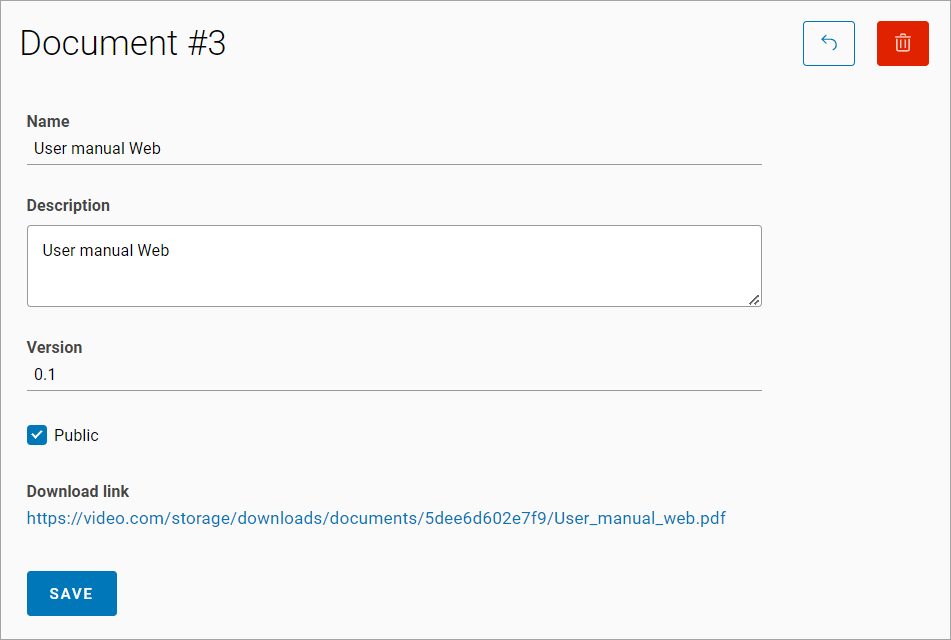
To view or edit a document, select the desired document in the table and click on it.
When viewing the uploaded document, a download link for the file is displayed.
The following fields are available for editing:
-
Name.
-
Description.
-
Version.
-
The Public checkbox.
-
After making the necessary changes, click Save.
Delete a document
To delete a document:
-
In the table, select the desired document and click it.
-
Click the Delete icon.
-
Confirm the deletion.