
An actuator device is a network-connected device that receives commands from the system and controls physical access mechanisms, such as electric locks, barriers, gates, turnstiles, and other equipment that restricts entry or vehicle access. It turns a digital command into a physical action: opening a door, raising a barrier, activating a turnstile, or operating another access mechanism.
How does it work? Access control using actuator devices follows a straightforward process: the administrator configures devices and access permissions in the administrator panel, and users access their assigned devices through the mobile app.
Users only need to install the mobile app and sign in to access their assigned actuator devices. All available devices appear in the Access section and the corresponding smartphone widget. An access point brings together the site address, access point name, and connected devices used to enter the premises. Devices appear under clear names assigned by the administrator, such as “Barrier,” “Gate,” “Office Door,” or “Elevator.” Users don’t need to understand the underlying technology: they can immediately see what they can control and operate the equipment through the familiar app interface.
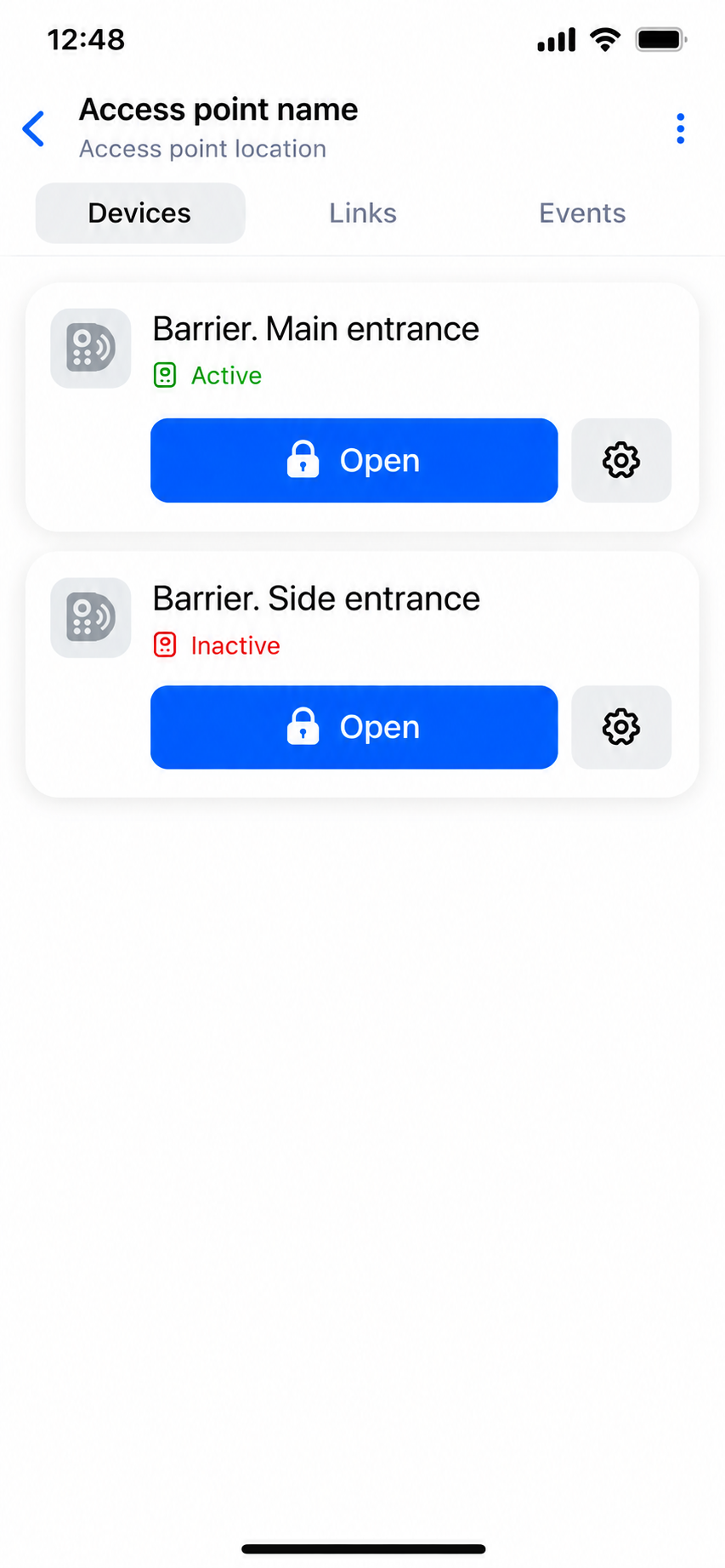
The access control is available in the mobile app interface from these sections:
-
On the Access tab, from the access point card where the device is added. Select the Open button.
-
On the Access tab, from the list of devices that are associated with the access point. Select the Open button for a relevant device.
-
From the Access point widget. Here, select the Open button.