
The Administrator roles section lists all available roles. A role is a template of permissions that determines the administrator's access to various system functions.
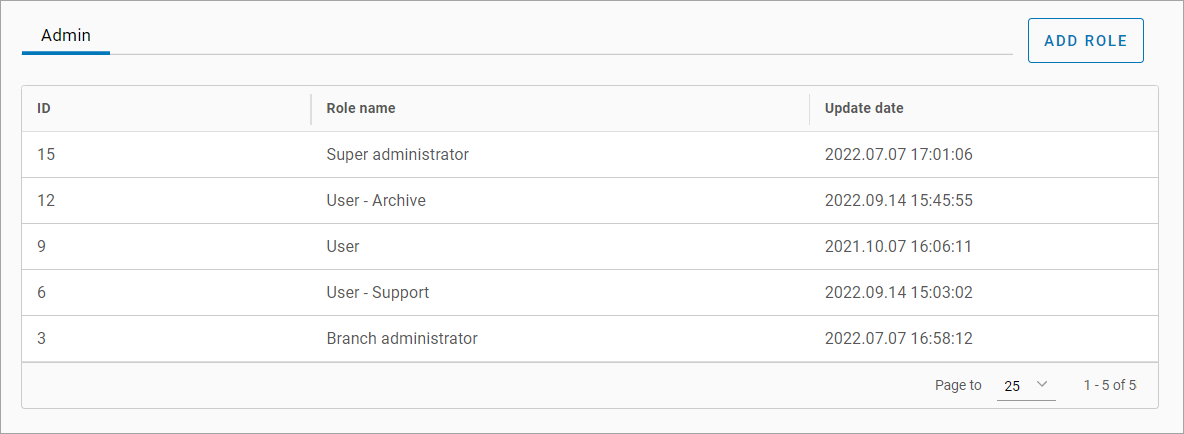
Add a role
To create a role, follow the steps:
-
Select the Add role button.
-
On the page that opens:
-
Enter a role name.
-
The Individual access toggle is a setting that restricts an administrator's system rights.
-
On: the administrator can only view and manage data they created, along with data from their direct reports (users and sub-administrators lower in the hierarchy). All other data remains hidden. Actions within this accessible scope are still governed by the permissions set in the admin profile.
-
Off: the system operates in standard mode, providing access to all system data within the scope of assigned permissions.
-
Role-based logic. The status of this setting also depends on the roles the administrator is assigned. Automatic activation – if at least one assigned role has Individual access enabled, the setting will be turned on for that administrator. Automatic deactivation: If the setting is disabled across all assigned roles, it will remain off in the administrator's profile. Manual override: once roles are assigned, you retain the ability to manually toggle the setting on or off within the individual administrator's profile.
-
-
Specify access levels by selecting relevant ones in the list.
-
To complete the role generation, select Create Role.
Individual access
The Individual access toggle is a setting that restricts an administrator's system rights. When it’s On, the administrator can only view and manage data they created, along with data from their direct reports (users and sub-administrators lower in the hierarchy).
|
Section in the admin interface |
Accessible to the administrator |
|---|---|
|
Cameras > Camera > Location > Logins tab |
List of users created by the current administrator |
|
Cameras > Camera > User actions tab |
The lists and filters only populate with users and sub-administrators originated by the current administrator |
|
Cameras > Camera > Analytics tab |
Analytics streams created by users under the current administrator |
|
Cameras > Archive video |
Only video recordings created by the current administrator |
|
Devices > Intercom tree > Intercom |
The lists and filters only populate with users and sub-administrators originated by the current administrator |
|
Devices > Bridge list |
Only bridges activated by users under the current administrator |
|
Devices > Camera list |
Only Agent-cameras activated by users under the current administrator |
|
Administration > Administrators |
The list only populates with sub-administrators originated by the current administrator |
|
Administration > Users > Users tab |
The list only populates with users originated by the current administrator |
|
Administration > Users > Subusers tab |
The list only populates with subusers originated by the users under the current administrator |
|
Analytics > Streams tab |
The list only populates with streams and analytics events originated by the users under the current administrator |
|
Analytics > Events tab |
The list only populates with events of the analytics streams originated by the users under the current administrator |
|
Reports > On users |
The report includes only the users originated by the current administrator |
|
Reports > About the system |
The report includes only the users, subusers, instances (cameras with issue claims, claims) under the current administrator |
|
Reports > User activity |
The report includes only the users originated by the current administrator |
|
Logging > User actions > Administrators
|
|
|
Logging > User actions
|
|
|
Complaints > Cameras > Selected camera
|
|
|
Complaints > Analytics > Cameras |
|
Access to the other sections (Provisioning, Documents, System Settings and others) falls under the granted access levels.
Edit a role
To edit a role, follow the steps:
-
Select a corresponding entry in the table
-
Introduce changes.
-
Select Update.
If the edited role was previously assigned to an administrator, the introduced changes won’t be reflected in the administrator's profile. To modify the permission set for this administrator, reassign the role.