
The List of cameras section lists all cameras. By default, cameras are listed in descending order based on their creation date. The most recently created cameras appear at the top of the list.
The table includes the following columns featuring camera details:
-
Camera ID (features sorting)
-
Camera name (features sorting)
-
Camera status (features sorting)
-
Number of video streams
-
Camera IP address
-
Reservations:
-
IP address
-
MAC address
-
-
Camera source:
-
Manual: the camera manually added
-
Auto: the camera was automatically added
-
-
Stream source:
-
Manual: A stream was manually added
-
Auto: A stream was automatically added
-
-
Creation date (features sorting)
-
Camera location (specified only when the address system is used). (features sorting)
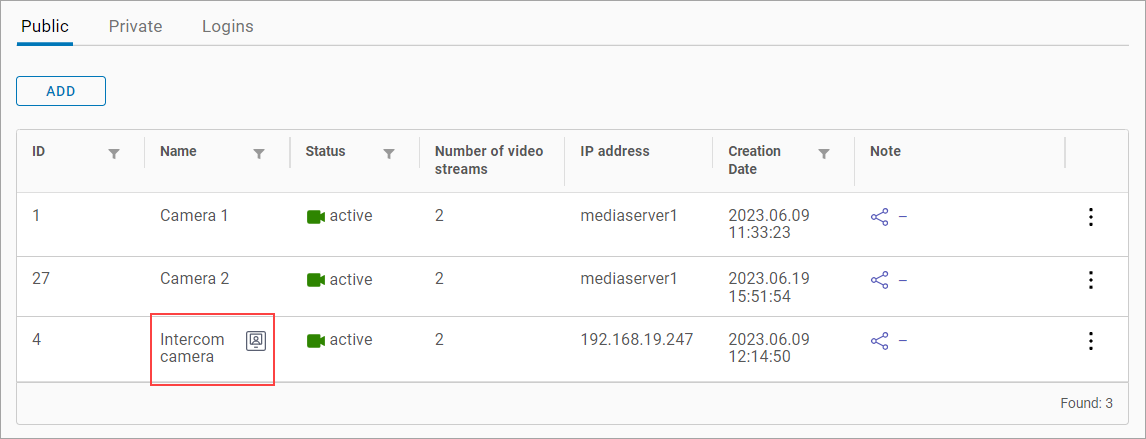
When the Intercom Camera setting is enabled for a camera, this camera in the list is indicated with a special icon, as on the image below.
Refine your search using available filters:
-
Start date and End date when the camera was created
-
Camera status
Filtered search. Select a search criteria from the drop-down menu: Camera name, IP address, UUID, or Camera ID. Next, in the Search field enter at least three characters to see the results.
The camera search is performed automatically as you type. The search results will be displayed in both the camera tree and table, showing only the cameras that match your search criteria.
You can also perform a search in the Cameras section under the Tree View subsection.