
The camera provisioning steps are as follows:
-
Creation of a network device: receiving data from the customer billing system, reserving an IP address.
-
Creation of a camera profile: retrieving specific data from the customer billing system.
-
RTSP ingest: adding streams to the platform and provisioning them on the media server.
-
Configuration deployment: applying overall settings and finalizing the specific camera setup.
Each stage shows the resulting outcome and includes a button to navigate to the detailed information tab.
The Network devices section
Under Network devices, you can find the following network device data that is received from the customer billing system:
-
Network device serial number
-
Network device MAC address
-
Network device IP address

To release the IP address reservation, select the Remove Reservation button.
If a stage fails to complete successfully, you can manually reserve an IP address. To do so, select Reserve.

Information about the network device can also be found on the General data tab.
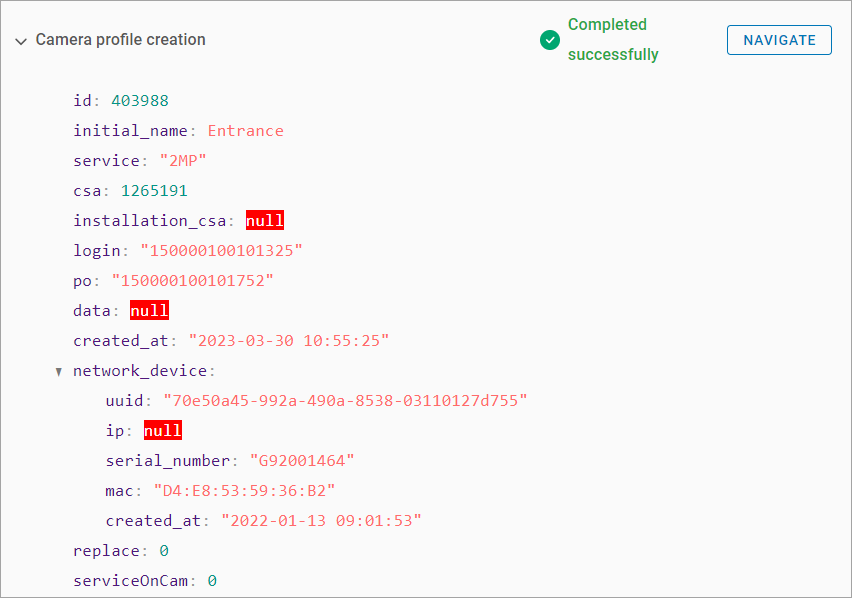
The Camera profile creation section
Under Camera profile creation section, you can find the camera profile details. This information can also be found on the General data tab.
RTSP streams
Under RTSP streams, you can find the following information:
-
A high-quality stream address.
-
The server address to add a high-quality stream.
-
A low-quality stream address.
-
The server address to add a low-quality stream.
Selecting the Navigate button, directs you to the Video Streams tab of the camera profile.
.png?cb=20f90d46ed65b43c2c7fb087233529ae)
The Configurations section
Under Configurations, you can find the following camera information:
-
Device manufacturer
-
Device model
